1.35 Staff meal times
A request which was long outstanding was the one to be able to enter the meal times for the staff.
This means that on the portal when you enter the accommodation that there is a new panel with the dates for breakfast, lunch and dinner for the staff.
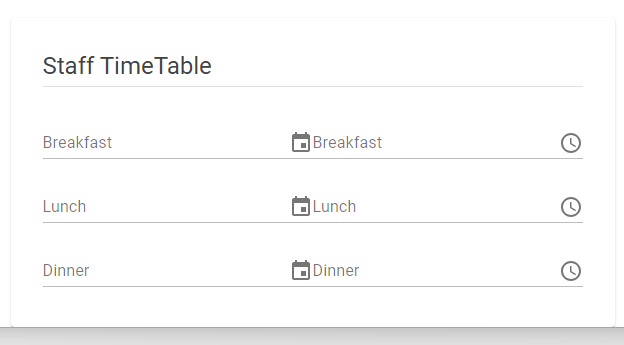
The timeline will detect if you are a staff member or a rider. When you are marked as staff then it will first show the staff meal times, when empty it will show the default (rider) meal times. Remember the timeline is your personal time schedule.
These dates have also been added in the app. When you are a ds or admin then you can changes these dates in the app on the accommodation page. On the accommodation detail page you can find in the top right the edit icon.

This will open a page where you can change the dates. The same edit possibility is now also added to the race page. Don’t forget to save your changes by pressing the save/disc icon in the top right.
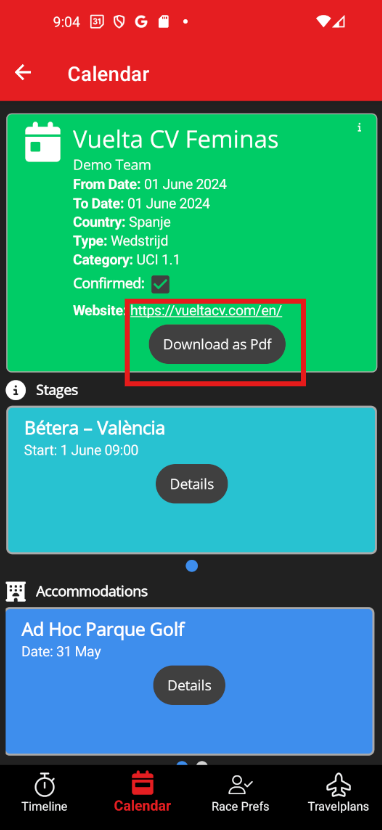
On the calendar detail there is an additional button with which you can download the whole calendar item as pdf.
When you have the authorization (ds & admin) to view the members in a team then you can copy the field values to clipboard by longpressing the value.