Looking for help?
Add or change the member roles
You can change, add or remove the roles which are defined in your team.
Go to the Team settings page by going to the top right avatar and clicking the avatar. In the menu which shows choose “Edit team”.

This will shows you the page where you can edit your team settings. In the section “Roles” you can edit the roles, the button “Add” will give you a new role.

Clicking the New button or the Pen icon in front of a row will show you the Role edit screen.
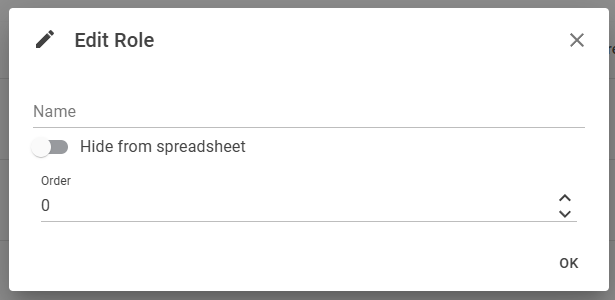
The following 3 fields are shown
- Name: the name of the role (required)
- Hide from spreadsheet: if you do not want this column to be shown in the planning spreadsheet then set the switch to the right (for on).
- Order: a number between 0-9 indicating the order in which the role (group) is shown on the pages (for instance the spreadsheet).
When the role is actively used then the delete icon (trashcan) is disabled and you can’t remove the role. The Hide from Spreadsheet is disabled for non-staff roles. When you create a new role then this is always a ‘staff’ role type.