Car Allocations
You can assign people to cars during a race. This makes it clear for the members participating in the race in which car they have to be or which car they needs to use during the race.
For instance, which car is the soignee using to go to the feeding zone or which car does a rider need to get when being transported to the start.
In the portal first assign cars to the race
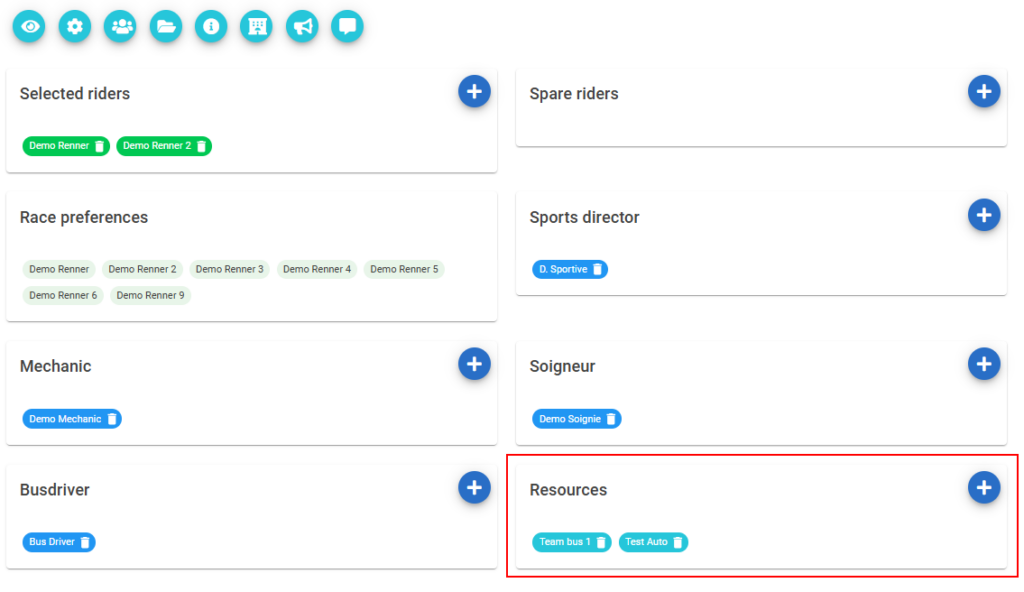
The go to the stage of the race (the ‘i’ button) and add or edit a race information
This page has now been changed with the addition of the tab bar at the top.

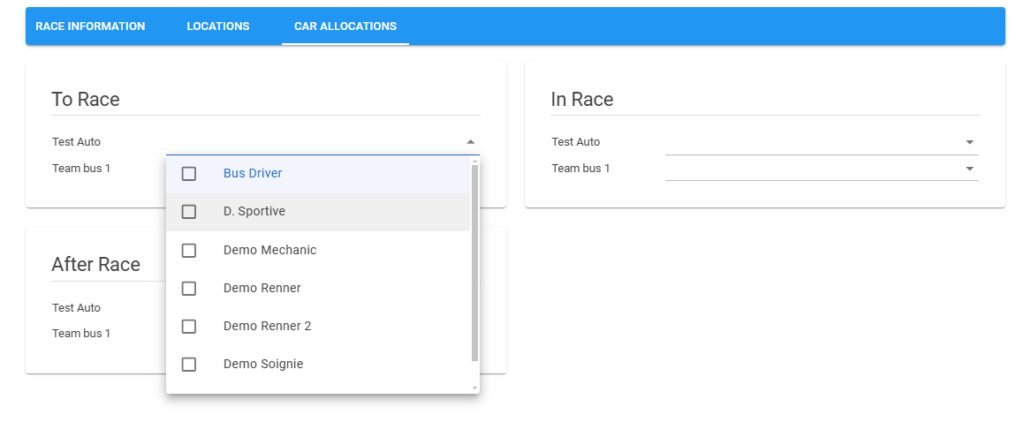
In that tab bar go to “Car Allocations”
You will see a screen with three cards for each movement of the race/stage (from, in and to). For each moment and car you can allocate one or more members to it.
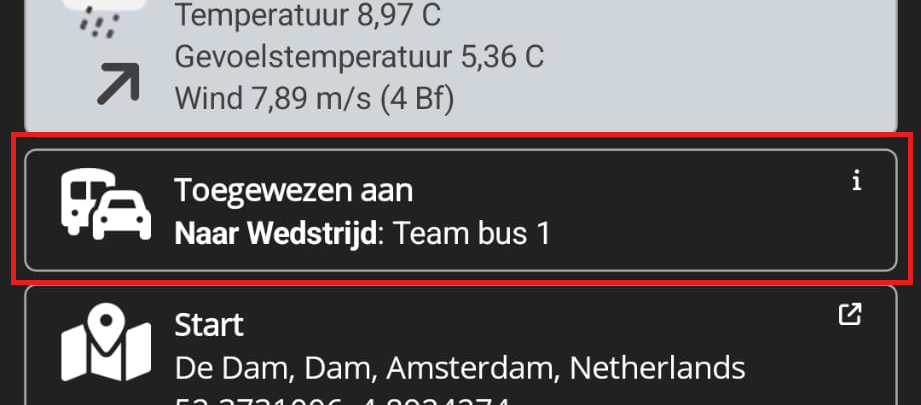
The car allocation will show on the timeline detail of the mobile app.