Looking for help?
Team Files
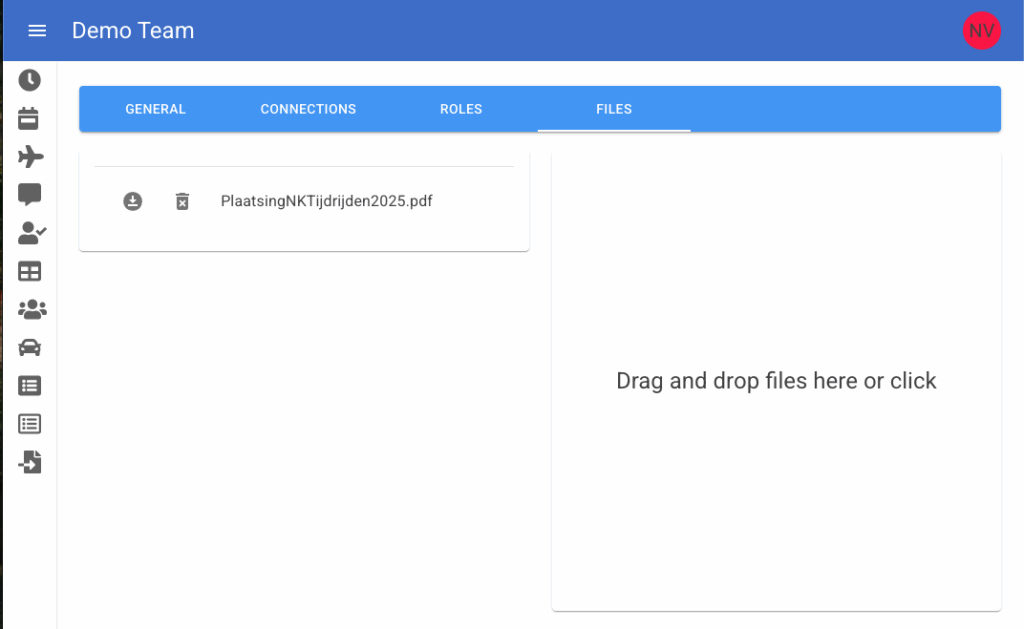
An admin or sport director can add files in the portal the team space. These are files which have relation to the team but not a specific event. You can think of:
- Team Houserules document
- Template excel for travel expense declaration
- or whatever you can think of
In the portal go to the Edit Team page (or top right of the portal on the avatar and then ‘Edit Team’). Then go to the tab files to manage the team files.
Mobile
The members can view and download these files from the mobile app by accessing the ‘More’ page.
When opening the app then go to the top right where the gear icon is and click that. The ‘More’ page will open and a button will show with the label ‘Team Files’. Pressing this button will open a page with the list of team files.