Travelplans
You can create multiple travelplan modes (types)
- By air
- By ship/boat/ferry
- By train
- By bus
- By car
- By any other mode
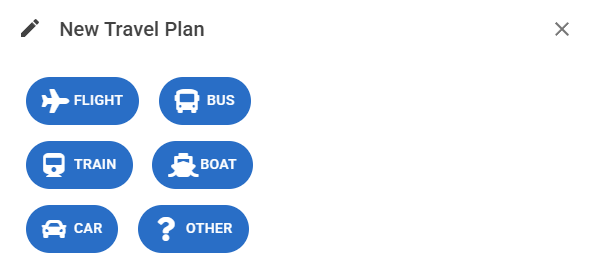
This mode is requested once you add an new travelplan. The type will be reflected by the icon throughout the timeline, travelplan list and travelplan detail.
The most extensive mode is by Air (since that is the most common one)
By Air
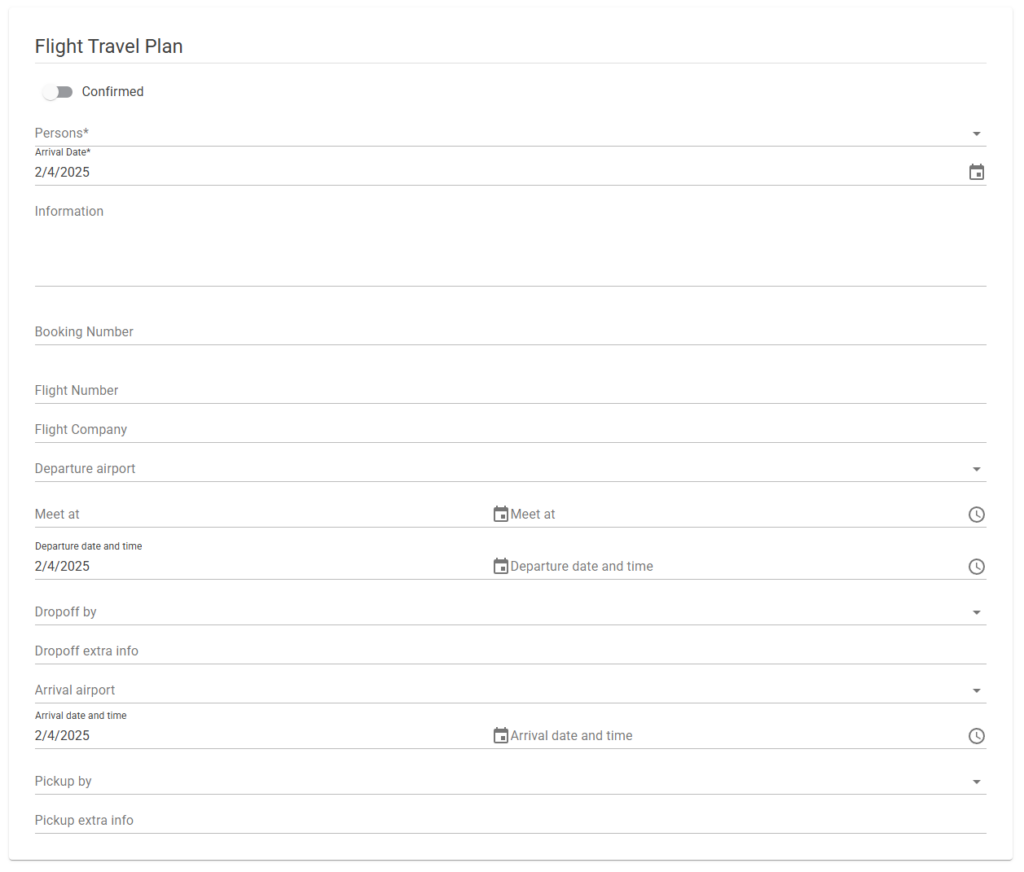
Confirmed: The planning is confirmed and can be displayed to all the members mentioned in the plan. Until this switch is flipped nobody (except in the role admin and ds) can see the travelplan
Persons: Who is this planning for (members on the flight)
Arrival Date: The date of arrival at location
Information: Any additional info you wish to share with the members
Booking number: The travel agency booking number
Flight number/company: The flight number and company
Departure airport: Airport of departure
Meet at: When do you want the meet up before entering the gate
Departure: The departure time of the flight
Dropoff by: Who of the team brings the members to the airport
Dropoff extra info: Any additional info for the dropoff
Departure airport: Airport of departure
Meet at: When do you want the meet up before entering the gate
Arrival: The arrivaltime of the flight
Pickup by: Who of the team gets the members from the airport
Pickup extra info: Any additional info for the pickup
* ) Only the starred fields are required
All other transport modes contain a subset of the above fields (maybe with a different label) per requirement of the travel plan mode.